
Photograph every side without walking around each item.
Keep useful camera angles ready at your packing bench or inspection station. With optional tripod mode, you control several fixed phone cameras from one phone and keep their photos together under the right order, batch, or inspection. For everyday handheld capture, one phone is still all you need.
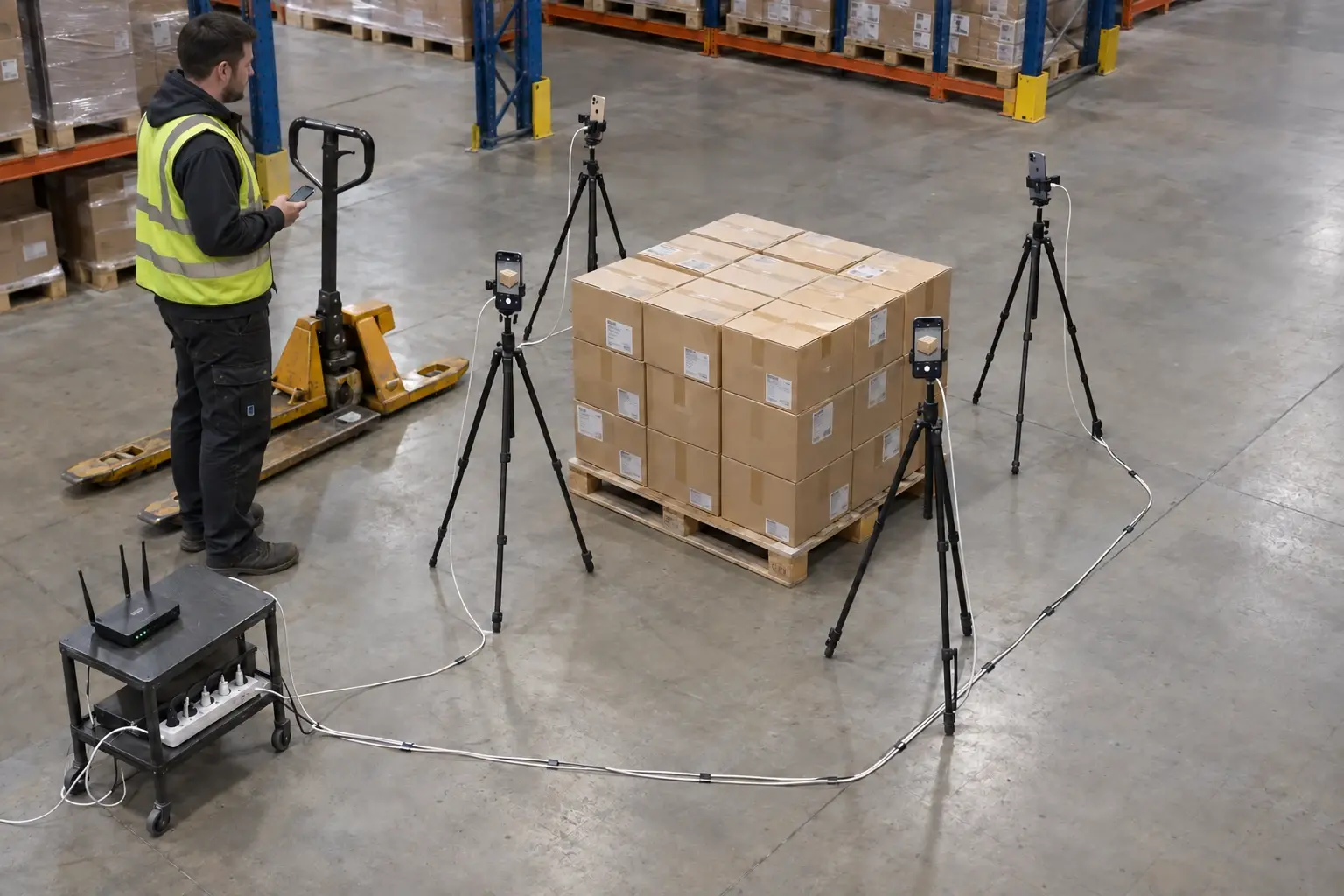
Keep your angles in place as the work moves through.
Repeat the same views
Position remote phones around a packing bench or inspection station to keep useful angles ready for each record.
Control capture from one phone
Check live camera previews on the master and trigger the paired remote cameras. Choose whether the master takes a photo too.
No sorting angles into separate folders
Photos from the fixed cameras join the record you are working on, so your team can review the different views together later.
Build a photo station with compatible phones.
Use compatible phones, stable mounts, and local Wi-Fi to capture several viewpoints at a fixed station. The photos go to your configured SharePoint, Shopify, or WooCommerce destination, so your team can find them in its existing tools.
Set up your cameras. Run capture from the master.
Use CodaScan on the master and each remote phone, stable phone mounts, and a shared Wi-Fi network that allows the devices to reach each other.
- 01
Choose each phone’s role
Open Tripod mode in settings. Select Master on the controller and Remote on each fixed camera. Keep the remote camera screens open.
- 02
Pair by QR code
On the master, choose Add remote camera and scan the code shown by the remote phone. Check the test photo and confirm the camera.
- 03
Open a record and capture
Scan or enter the record identifier on the master, check the live previews, and trigger capture. The remote photos are collected into that record.
- 04
Upload when connected
Photos saved on the master stay with the record for upload to its configured SharePoint, Shopify, or WooCommerce destination when internet is available.
Before you set up a station
Does tripod mode work without internet?
Yes, if the phones can still reach each other on the local Wi-Fi network. Remote control and photo transfer happen locally. Uploading to your provider requires internet and can happen later.
What if a remote phone disconnects?
Remote capture needs reachable cameras. Keep the remote screens open and restore their local connection before continuing. Photos already saved on the master remain in the record; check any capture error before moving on.
Can the master take photos too?
Yes. Enable “Master also captures” in Tripod mode settings to include its camera, or disable it to use the master only as the controller.
Where do the photos go?
The master saves remote photos into the active record, then uploads them to that record’s configured provider. Operational photos are not stored by the central CodaScan backend.
Make repeat inspections easier to photograph.
Try tripod mode at your packing bench, production checkpoint, or inspection station.