01
Identify the job
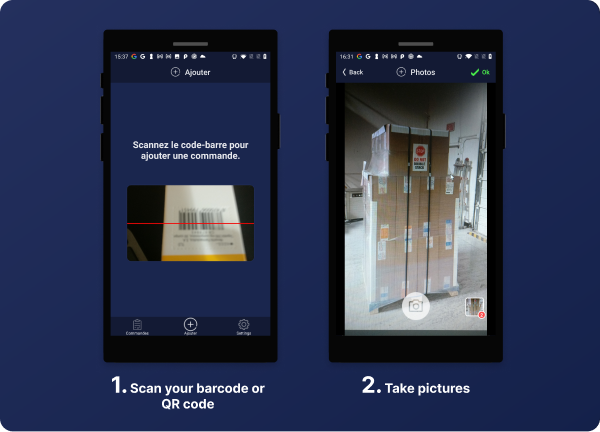
Scan a barcode or QR code—or enter the order, product, batch, or process code manually.
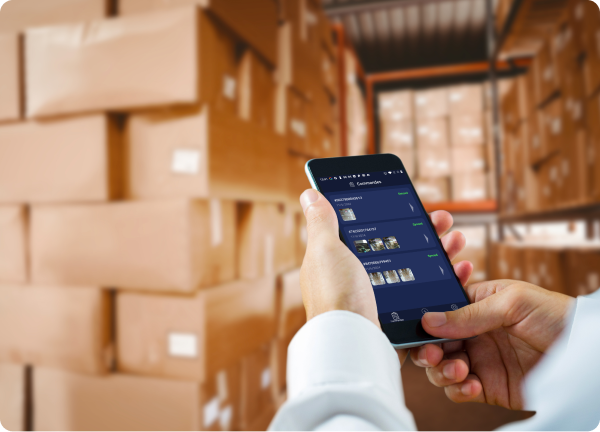
Spend less time sorting photos and more time getting the job done. CodaScan keeps shipment, product, and quality-check photos with the right record in the tools your team already uses.
2 weeks free trial — No credit card required
From the warehouse phone to the record your colleagues open, see how CodaScan removes the manual steps in between.
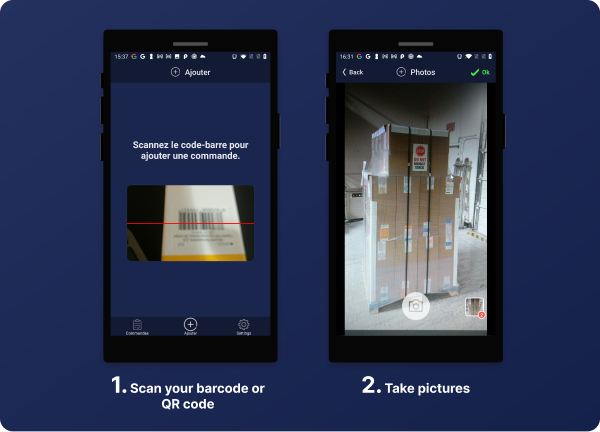
Scan or enter the reference before taking photos so they stay with the right record.
Fast capture, optional metadata, and no manual file organization.
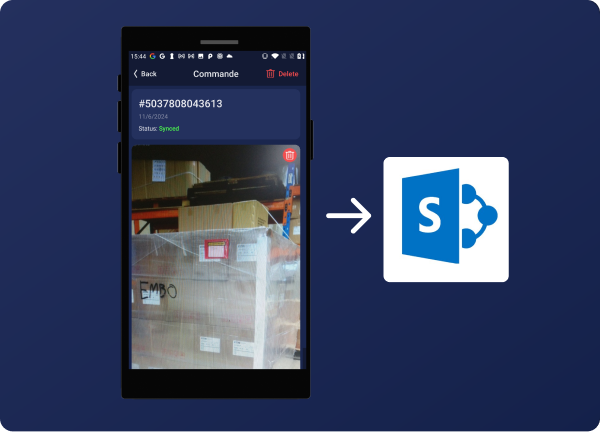
Photos arrive in the connected order, record, or folder your team already uses.
Watch the real mobile workflow from identifier capture to organized visual evidence.
No manual filenames, transfers, or end-of-shift photo sorting. CodaScan keeps the process moving online or offline.
Scan a barcode or QR code—or enter the order, product, batch, or process code manually.
Photograph the contents, condition, or checkpoint and add any details your colleagues will need.
No signal? The complete workflow remains available and uploads stay safely queued.
CodaScan uploads the photos to the chosen order, record, or folder when connected. No manual filenames or computer transfers.
For everyday capture, scan and take photos with a single phone. Optional tripod mode lets you add compatible phones as fixed cameras around a packing bench or inspection station. Preview and trigger them from your main phone, keeping every photo in the same record.
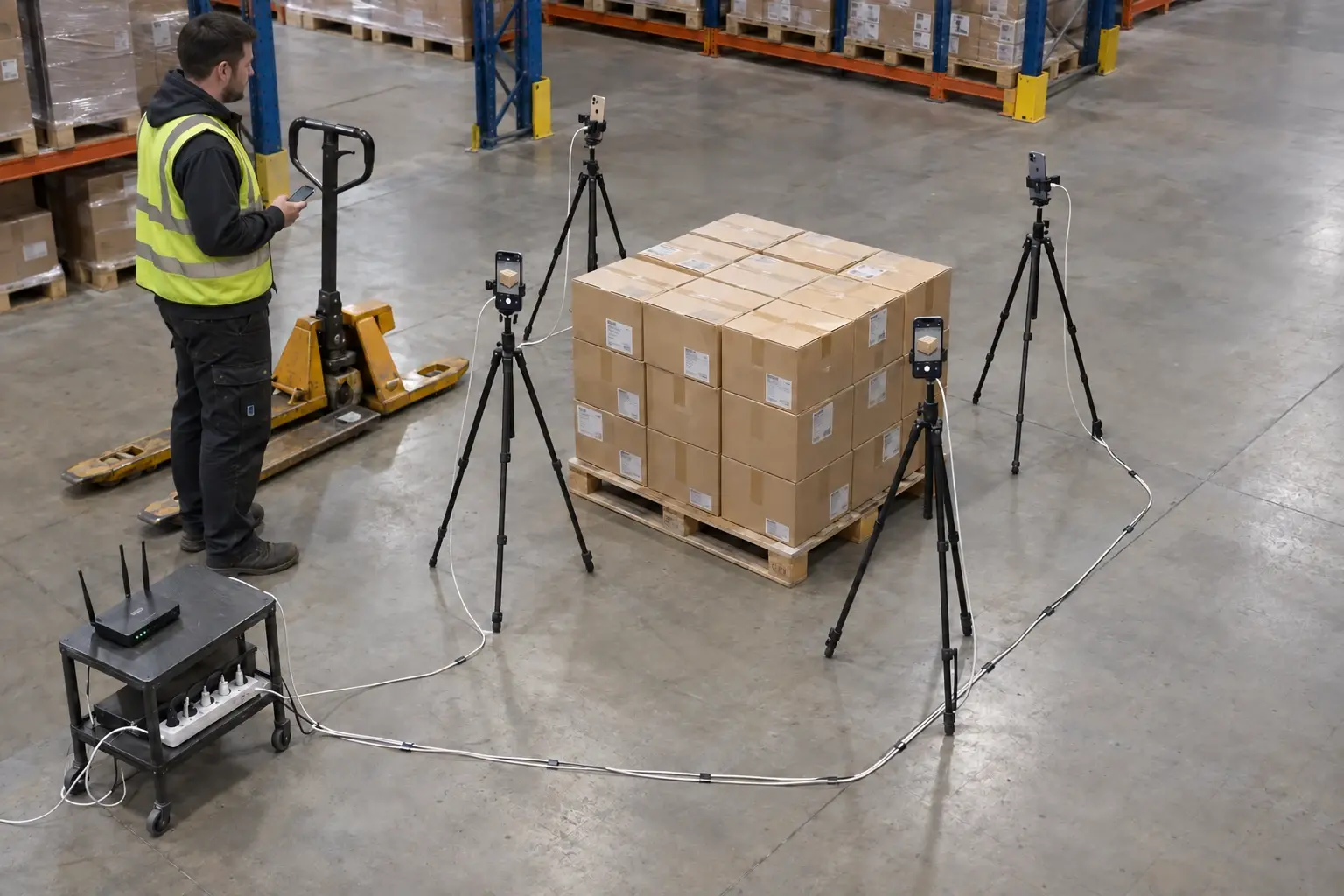
Use compatible phones, stable mounts, and local Wi-Fi to photograph a station from several sides. Upload to your configured SharePoint, Shopify, or WooCommerce destination when internet is available.
Explore tripod modeWhat was packed? Was it damaged on arrival? Which batch was checked? Keep a visual record your team can come back to.
Document cases, pallets, labels, and outbound orders in cellars and warehouses.
Explore this use caseDocument serials, condition, and incoming equipment before it goes to a hospital.
Explore this use caseRecord containers, labels, condition, and fulfillment of oils and industrial products.
Explore this use caseCreate quick proof of package contents without slowing down dispatch.
Explore this use caseOrders · batches · products · assets · inspections
When a customer or colleague asks about an item, use photos linked to its reference instead of relying on memory.
No signal? Keep documenting. CodaScan stores the work on the device and resumes uploading automatically when internet access returns.
Photos arrive on the matching commerce order or in the configured SharePoint, Dropbox, or Google Drive destination—not scattered across phones and messages.
Skip the cable, computer transfer, renaming, and manual upload. Once captured, photos follow the destination you have set up.
Missing items, visible damage, a quality question: check the photos linked to the order or product instead of asking someone to search their phone.
Your team should not need another photo portal. Send photos to Shopify, WooCommerce, SharePoint, Dropbox, or Google Drive so colleagues can find them where they already work.
 ShopifyAnswer order questions with packing photos
 WooCommerceFind packing photos on the order
 SharePointPhotos filed without the manual upload
 DropboxOrganized photos in the folders you already use
 Google DriveWork photos your team can find in Drive
Use your existing tools · ask us about another connection
Photograph the delivery or inspection while it is happening, even in a cellar or loading bay with no signal. Uploads resume when the connection returns, without a separate transfer job at the end of the shift.
Show us how your team takes and files photos today. We can walk you through a simpler setup using your existing tools.
per month
Drag the slider or enter a number to calculate your price
You should not have to replace a working system just to add photos. Tell us what your team uses and what needs to happen; we will assess the connection or improvement with you.
Discuss your workflowWhen a connector or capability strengthens the product for other customers too, development may be included in a pilot at no additional cost.
Larger reusable improvements can be delivered through co-development or an agreed license commitment.
Exclusive integrations and highly tailored requirements are scoped separately, with a clear proposal before work begins.
The practical details teams ask before testing the workflow.
Yes, after initial setup. Scan references, take photos, and add details without Wi-Fi or mobile data. Uploads stay queued and resume when internet access returns.
You choose the provider for the workflow. Shopify and WooCommerce keep evidence with the matching order. SharePoint, Dropbox, and Google Drive store it in the configured record, library, or folder. Operational photos upload from the device to that provider, not to CodaScan storage.
The workflow supports common QR codes and barcodes used for products, orders, batches, pallets, and process identifiers. When a label is damaged or cannot be scanned, the operator can enter the code manually.
Yes. Save named configurations for supported stores, records, libraries, or folders, then select the right one before starting a new record. Each record keeps the configuration it started with.
CodaScan is available for iOS and Android. You can start with one device during the two-week trial.
No. Photos upload from the device to the selected provider. Provider credentials stay in protected device storage; CodaScan servers handle licensing and optional synchronization of saved workflow configurations, not your operational photos.
Start with one phone and a real task. Use the two-week trial to see how easily your team can capture photos and find them again.